
How do I compare?
The compare feature of GOMAP allows you or your ministry team to compare yourself to the people you are trying to reach.
The compare tool can help you discover communication preferences, leading you to ask better questions. For example, a church can better understand a neighboring community, or a short-term team can better prepare for a cross-cultural trip.
2 ways to compare
Taking a new survey
- Go to Take a survey or scroll down.
- Fill in the form in behalf of yourself or your ministry team.
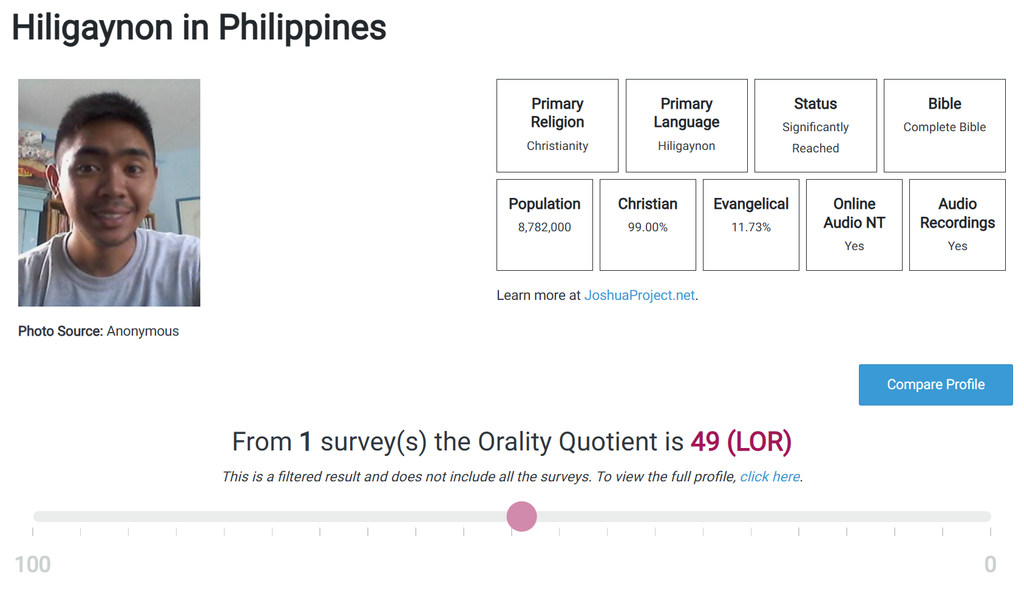
- After submitting, you will be taken to a preview page.
- Click on the blue “Compare Profile” button.
- Your own profile will be preselected on the left side. Select a profile on the right that you like to be compared with.
Using an existing profile
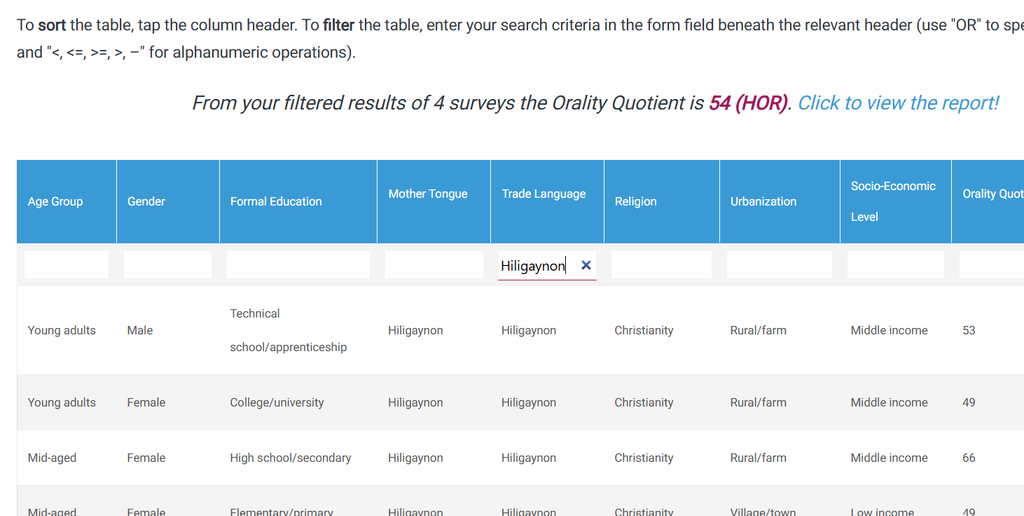
- Select any existing people group or language profile.
- Filter the profile further by typing any available criteria in the corresponding column and then clicking “Click to view the report.
- Alternatively, click any row to go to that specific survey.
- On the profile page click on the blue “Compare Profile” button.
- Select a profile on the right that you like to be compared with.
- On the bottom of the profile you can filter the profile
 Saving...
I agree with GOMAP’s terms & conditions and privacy statement by submitting the survey.
After completing the survey, you’ll see a preview and receive an email with the link. Once your survey is approved, it will be posted on GOMAP.